Mobile app
The record starts where the work happens.
Between what happens on the floor and what somebody types up afterwards there is a gap, and that is where the detail stays behind: the exact time, the part that was used, the thing spotted along the way that was nobody's job. The FluX app closes that gap: the operator logs it where they stand, with dirty hands, and that is already the record.
iOS · Android
on phone and tablet
0
manuals
No signal
still works


What they see when they open it
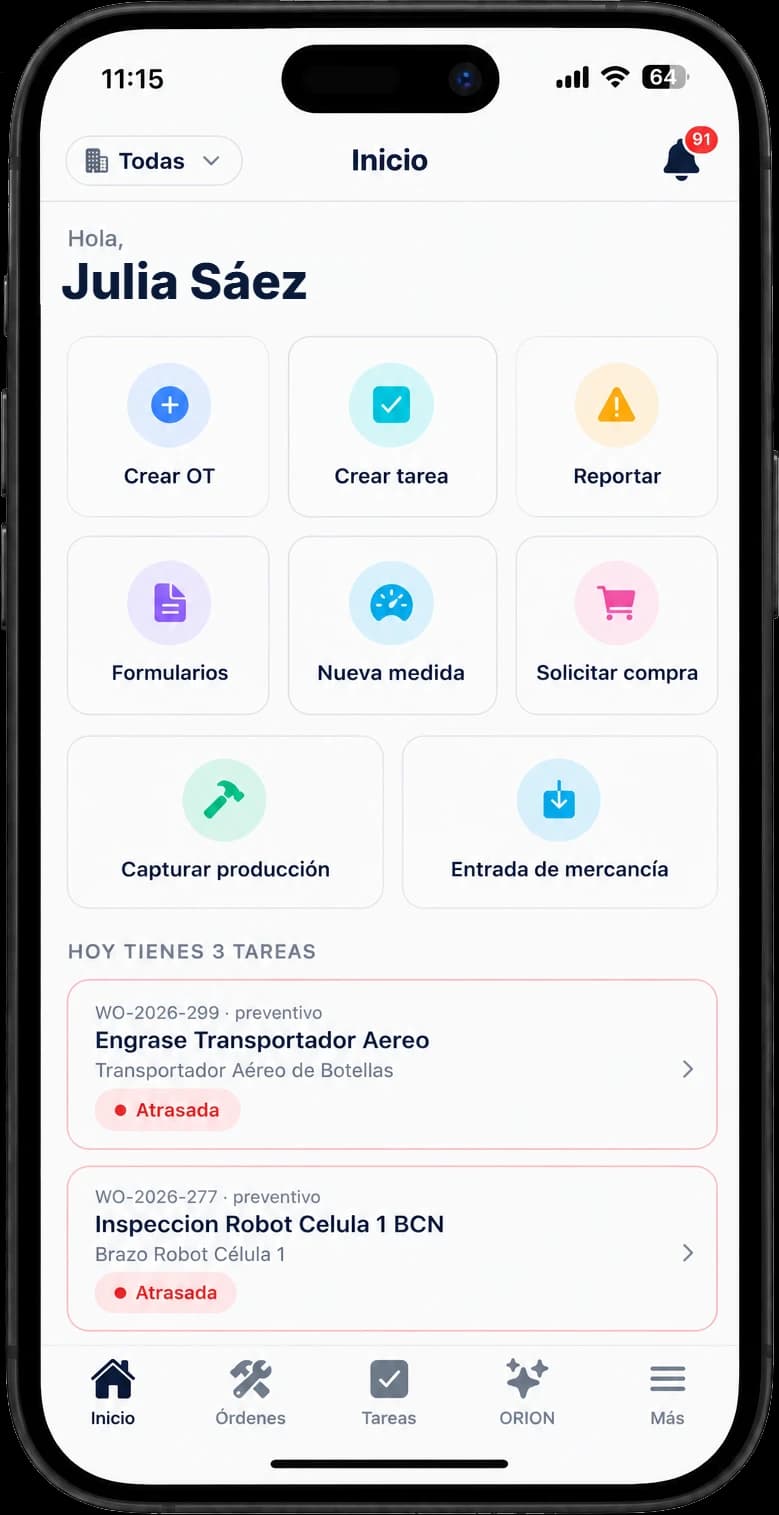
"My day" is the home screen: what is due today and what is running late. No menu hunting. They open it, see three things and start with the first.
- My day, today and overdue
- Their assigned orders
- Their tasks, one-off and recurring
What they do with their hands full
They run the whole order from the phone: tick the checklist, fill in the form, log the parts they use and start or stop the timer. On closing, the cost is already calculated.
- Checklists and forms
- Parts used
- Work timer
- Photos from the camera
What they can raise on their own
They spot something that is not theirs to fix and report it right then, with a photo. If they are short of material, they request it from there. No hunting down the manager, no remembering at six in the evening.
- Reports with photos
- Request material
- Look up assets and locations
- Check inventory
And if there is no signal
In a ship's hold or a plant with concrete walls there is not always coverage. The app stores the work on the phone and syncs when it comes back. It is not the headline of FluX, but the day it happens, it matters.
- Works offline
- Syncs when signal returns
- Notifications when online
Who uses it, and how
Operator
Mobile only. No web access and none needed: their job is to execute and report, and all of that is on the phone.
Technician
Mobile at the machine, web at the desk. They run what is assigned to them from wherever they are, and record goods arriving straight from the loading bay, with a photo of the delivery note.
Manager
Gets alerts on the phone and decides without going back to the office: creates the corrective order and assigns it from there.
How you get access
01
Your workspace is set up during rollout
There is no self-serve signup. We build your company's workspace with you, with your units and your assets already in it.
02
Each person gets their invitation
By email, with their role already assigned. The operator logs in and sees only what is theirs: no extra menus, no data from another plant.
03
Download it and get to work
From the App Store or Google Play, on a phone or a tablet. Each person signs in with their invitation and sees what is theirs.
No course and no manual. If your team can handle WhatsApp, they can handle this.
Want to see it working?
We will show it to you with your type of operation and the screens your people would actually use, not a generic demo.